How do I interpolate exposure for more than 400 Lightroom XMP files?
Use the first and last exposure settings in a numbered Lightroom XMP sequence to produce a gradual exposure change between them.
What the sample produces
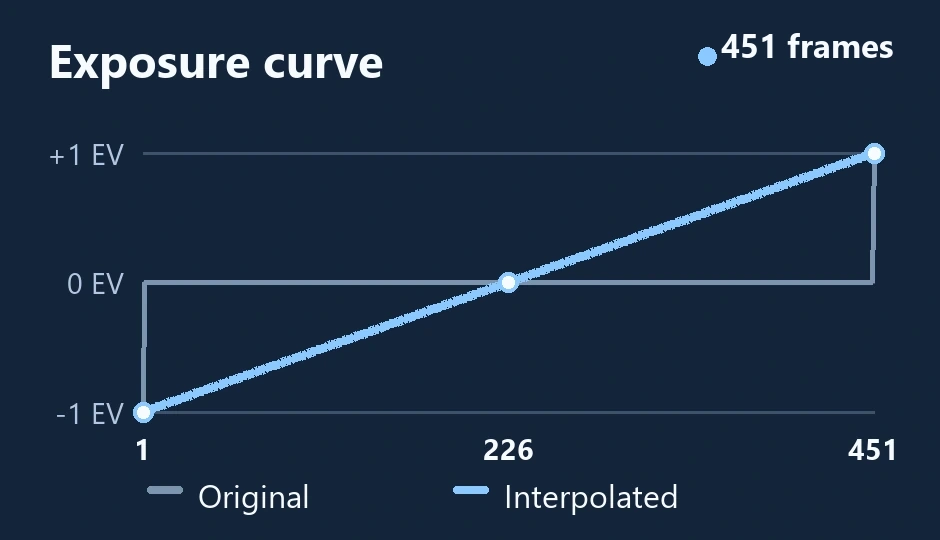
The sample has 451 generated sidecars with -1 EV and +1 EV as endpoints. The midpoint becomes 0 EV. Independently exported Lightroom fixtures also verified the matching Exposure2012 property.
- Midpoint
- 0 EV
- Output
- XMP files in a ZIP
How to use it
- Open a numbered set of XMP sidecars or a ZIP of those files.
- Enter the first and last frame numbers. Check the intermediate exposure in the preview.
- Save the revised XMP ZIP, back up your current sidecars, and read the exported metadata in Lightroom.
Supported files
Uses one numbered sequence of 3 to 5,000 UTF-8 XMP files with Exposure2012 already present. Maximum 64 MiB combined. It adjusts one global exposure parameter. RAW, ACR and video rendering are outside the scope.